
iPhone 18 Apple Intelligence Features: Top 10 AI Upgrades Expected in 2026
Explore iPhone 18 Apple Intelligence Features expected in 2026, including a smarter Siri, AI writing tools, real-time translation, and the rumored 12GB RAM upgrade.
AI TOOLS
6/23/202612 min read
Introduction
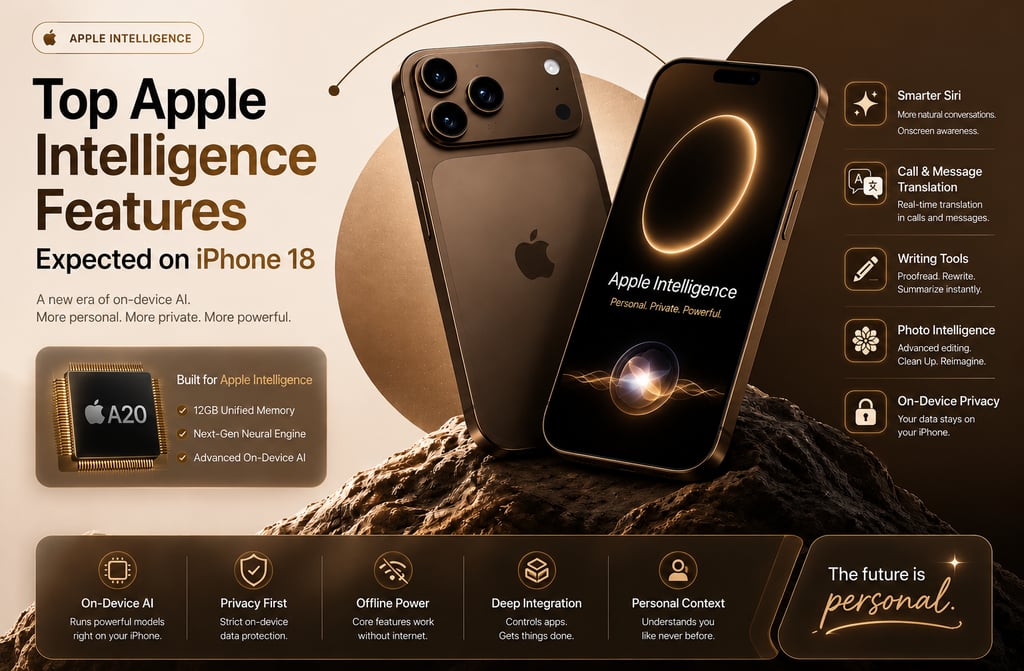
Information Packet: Apple Intelligence represents a fundamental shift in how consumers interact with their smartphones. The upcoming iPhone 18 lineup is highly anticipated because of reported hardware changes designed specifically to run advanced, local AI systems. Understanding these upcoming changes helps users make informed upgrading decisions.
Staying ahead of the smartphone upgrade cycle can feel like a full-time job. Every year brings minor design tweaks, slightly faster chips, and better cameras. However, the true shifting point for consumer technology right now is happening in software, specifically through artificial intelligence.
Apple has made its long-term direction clear by investing heavily in an ecosystem-wide smart engine. While recent models introduced early concepts of this software, the upcoming iPhone 18 lineup is drawing significant attention. Supply chain indicators suggest Apple is designing its future hardware around these massive software capabilities.
If you are wondering whether to purchase a current device or wait for the future, you are in the right place. This guide breaks down the top software capabilities expected for the iPhone 18 in plain English. We will look at what these tools do, why they matter to your daily schedule, and what hardware upgrades make them possible.
What Is Apple Intelligence?
Information Packet: Apple Intelligence is the company’s native personal AI system built directly into its devices. Unlike cloud-heavy services, it prioritizes localized data processing to protect user privacy. It changes standard functions like typing, searching, and photography into deeply integrated, proactive smartphone tools.
To understand where the iPhone 18 is going, it helps to understand what this smart software actually does. At its core, it is a collection of smart systems built into your phone's operating system. It uses small, efficient language models to help you communicate, work, and edit media easily.
For years, digital helpers like Siri operated on simple if-then logic. If you asked for the weather, the system pulled data from a website and read it back to you. The new engine changes this completely by introducing deep comprehension models that understand context, slang, and implied meanings.
The biggest difference between old systems and this new software is safety. Most traditional chatbots send everything you type to distant corporate servers. Apple’s system runs directly on your hardware chip, keeping your personal photos, emails, and files private.
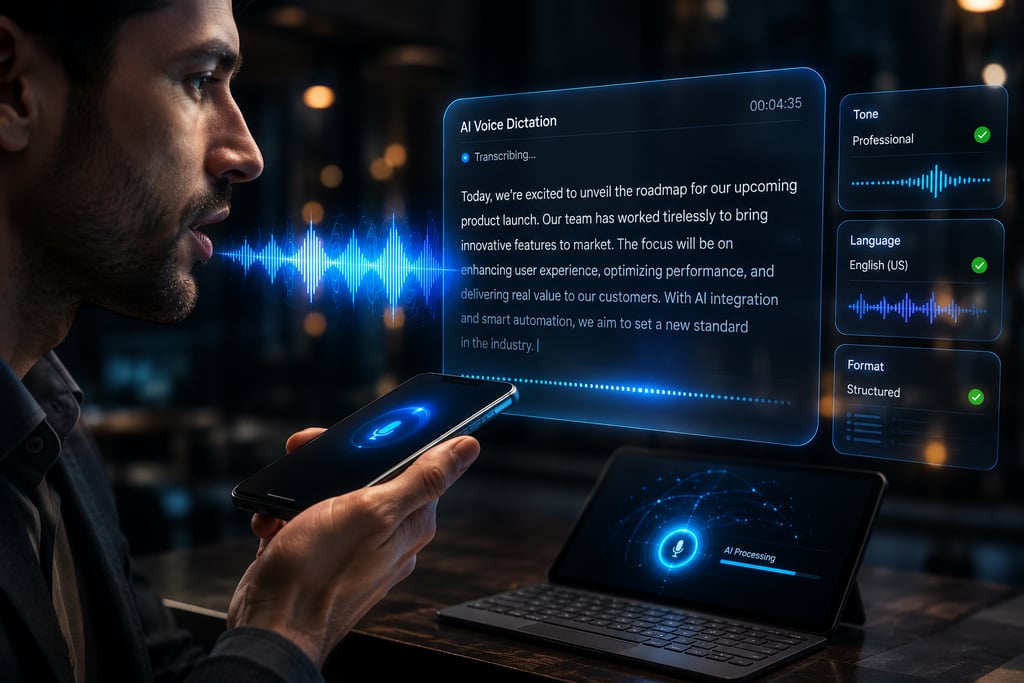
2.Advanced AI Voice Dictation
Information Packet: Advanced voice dictation uses large on-device software models to transform spoken words into structured text with exceptional accuracy. It learns your unique speech patterns, filters background noise, and accurately inserts punctuation without relying on an active internet connection.
Texting with your voice has historically been a frustrating exercise filled with typos. The next generation of dictation software uses heavy localized data processing to interpret natural human speech patterns perfectly. It handles fast talking, pauses, and corrections mid-sentence without getting confused.
This capability makes hands-free communication incredibly reliable for drivers, busy professionals, and student note-takers. You can dictate long essays or quick grocery lists while walking through a noisy street. The engine fixes grammar mistakes automatically while preserving your original intent.
A real-world example is dictating an email while cooking dinner. The software distinguishes your voice from the sound of sizzling food and formats paragraph breaks based on your voice pauses. A notable limitation is that unusual names or localized accents may still require occasional manual editing.

1.Smarter Siri
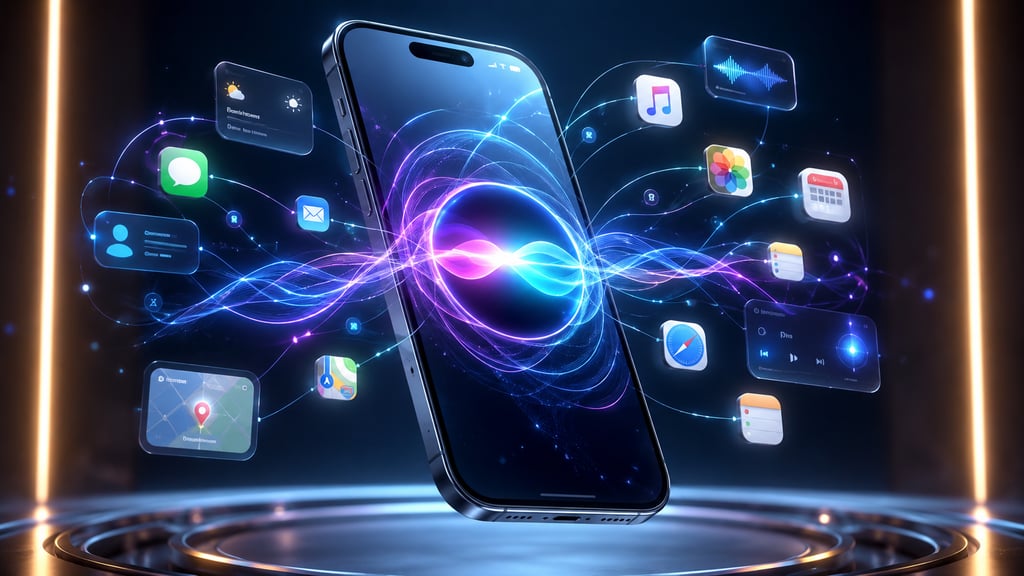
Information Packet: The upcoming Siri AI is an advanced assistant built to look at your active screen and execute complex multi-step tasks across different apps. It represents a massive shift from a basic voice tool to an integrated, conversational manager for your daily digital activities.
Imagine asking your phone to find a specific flight reservation from a chat log, check the real-time status, and add it to your calendar. The updated version of Siri is designed to do exactly that. It can see what you are looking at on your screen and take actions on your behalf.
This matters because it eliminates the tedious process of copying and pasting information between apps. If a friend sends an address in a messaging app, you can simply say, "Add this to my contact card." Siri will locate the text, open your contacts, and save it automatically.
For example, a busy parent could tell their phone to "Send the picture of the soccer schedule to the family group chat." The assistant finds the photo, recognizes the group, and drafts the message. However, the main limitation is that third-party developers must update their software code to support these advanced actions.


3.Personalized-Context Awareness
Information Packet: Personalized context awareness acts as a helpful manager that understands your relationships, schedule, and files. By indexing your local messages, calendar events, and emails, it delivers timely assistance based on your active daily routine.
Your smartphone contains your whole digital life, but it rarely connects the pieces safely. Personal context tools scan your text conversations, emails, and map data to build a secure timeline of your day. It safely cross-references your personal files to answer specific questions without compromising your privacy.
This feature saves time when you are searching for scattered pieces of information. Instead of digging through multiple folders, you can simply ask your phone when your mom’s flight arrives. The phone checks your emails for the flight number and searches the web for live flight tracking.
For example, if you have a dentist appointment across town, your phone will review live traffic data and notify you exactly when to leave. It knows your starting location, destination, and past travel preferences. The limitation is that it requires several weeks of regular phone usage to accurately learn your habits.

4.AI Writing Assistance
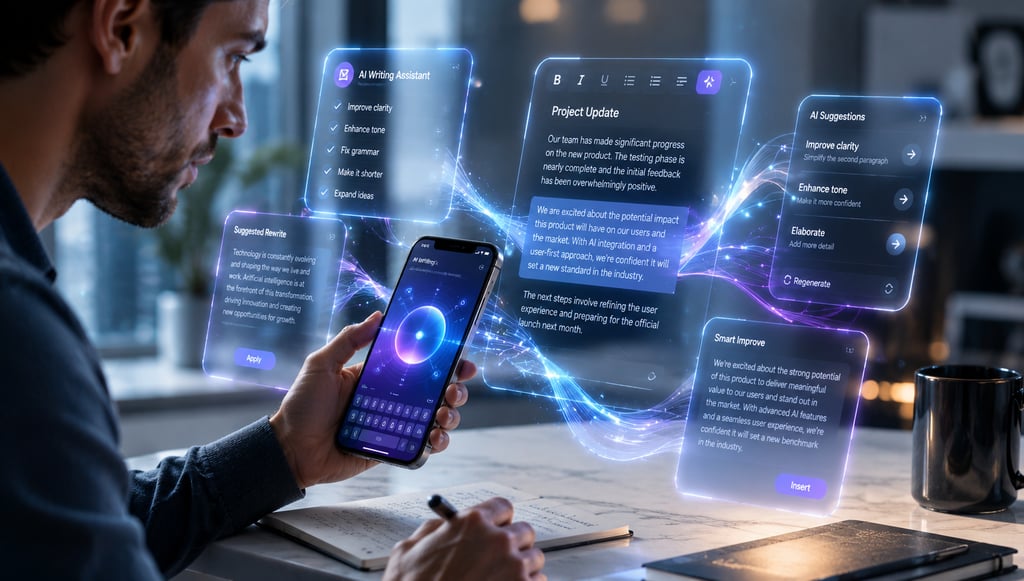
Information Packet: AI writing assistance tools provide systemwide editing, proofreading, and summarization directly inside text fields. It helps everyday users change the structural tone of their emails, polish important essays, or condense long work documents instantly.
Writing on a small glass keyboard is inherently difficult, and finding the right tone can be tricky. Writing tools are integrated directly into the keyboard options of your device. Whether you are composing a formal cover letter or a casual text, the software refines your words on the fly.
This tool is incredibly helpful for professionals who manage business communications on the move. It can take a messy, quickly typed list of ideas and transform it into a polished, professional update for your team. It also checks for subtle punctuation mistakes that standard autocorrect misses entirely.
Consider a student summarizing a massive 20-page reading assignment on their phone screen. The tool can extract the core arguments and create bullet points in seconds. However, a limitation is that over-relying on it can sometimes make your messages sound slightly formulaic.


5.Real-Time-Language Translation
Information Packet: Real-time language translation processes spoken conversations locally, allowing two people speaking different languages to communicate naturally. It operates without an active data connection, facilitating private translations during international travel.
Traveling abroad often involves awkward pauses while typing phrases into translation apps. The upcoming platform handles two-way language translation instantly. It listens to spoken sentences, translates them, and reads them aloud in a natural, expressive voice.
This tool breaks down communication barriers for global travelers and international business teams. You can order food at a restaurant, ask for directions, or hold casual conversations with people around the world. Because the processing occurs entirely on your device, it saves expensive international roaming data.
Imagine sitting with a business partner who only speaks Japanese. You speak English, the phone speaks Japanese to them, and then translates their response back to you within seconds. The primary limitation is that highly technical regional dialects can occasionally skew the translation accuracy.
6.AI-Powered Call Features
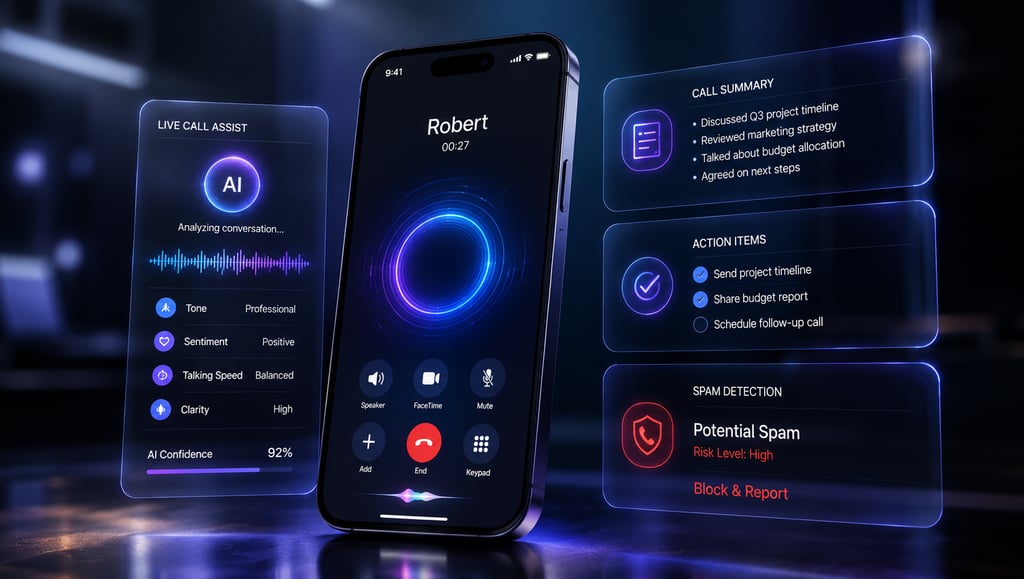
Information Packet: AI-powered call features provide automated recording, live transcription, and text summarization for standard cellular telephone calls. The system notifies all active participants when recording starts to ensure full compliance with legal privacy standards.
Losing track of important details discussed during a busy phone call is an everyday frustration. The phone application can now record cellular calls and generate an interactive text transcript simultaneously. Once the call ends, it generates a neat summary outlining the main takeaways and action items.
This tool is a massive asset for students discussing group projects or workers taking detailed client briefs. You no longer need to scramble for a pen and paper while trying to listen carefully to instructions. Everything said is securely logged and fully searchable later.
A real-world scenario involves calling your car mechanic to discuss a list of complicated vehicle repairs. After hanging up, you receive a bulleted list detailing the required parts and estimated costs. The limitation is that poor cellular signal quality can severely impact transcript accuracy.
7.Smarter Notifications
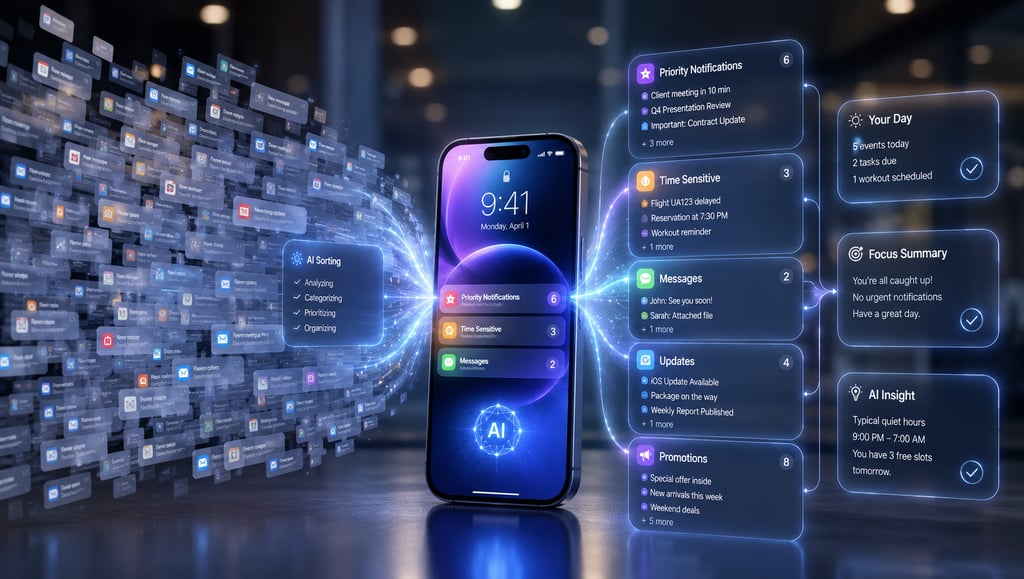
Information Packet: Smarter notifications utilize on-device layout logic to analyze incoming alerts, group them by contextual urgency, and summarize long chat threads. It ensures that critical updates cut through everyday digital noise.
Most smartphone lock screens are a messy wasteland of app updates, social media pings, and promotional advertisements. The smart notification center acts as a filter for your attention span. It scans the content of incoming messages to understand what needs your immediate focus.
This reduces screen fatigue and prevents you from missing urgent updates from family members or work clients. Less important alerts, like retail discount codes or social media likes, are neatly tucked into a quiet summary block to be viewed later.
For example, if your group chat sends fifty messages about dinner plans, the phone condenses the chaos into a single notification: "Your friends are meeting at 7:00 PM at the Italian restaurant." A clear limitation is that the system might occasionally misclassify an important message if the sender uses ambiguous wording.

8.AI Photo Editing
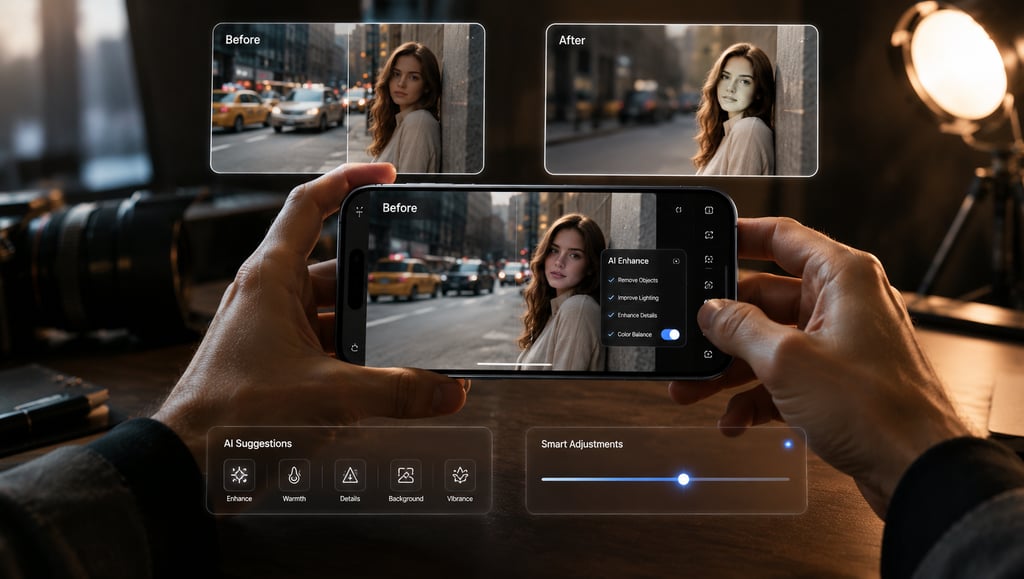
Information Packet: AI photo editing introduces intuitive, object-aware tools that clean up visual background distractions with a single tap. It fills in background gaps naturally, matching the lighting, texture, and grain of your original image.
Perfect family photos are frequently ruined by background distractions, such as random strangers, trash cans, or stray vehicles. The editing suite includes an updated clean-up tool that identifies these distractions automatically. You simply tap the object you want gone, and the system removes it cleanly.
This feature allows casual smartphone photographers to achieve clean, uncluttered images without learning complex desktop software. It evaluates the surrounding pixels to recreate what should have been behind the removed object. This means your holiday photos look exactly how you remember them.
Imagine taking a beautiful shot of a monument, but an unexpected pedestrian walks directly into the frame. With one tap, the pedestrian disappears, and the pavement underneath is reconstructed flawlessly. The limitation is that editing highly complex textures can sometimes leave slight visual blurs.


9.AI Image Generation
Information Packet: AI image generation allows users to create custom illustrations, emojis, and artwork using basic text descriptions. Operating completely on-device, it provides a safe sandbox for creative visual communication inside messaging applications.
Expressing yourself visually often requires finding the exact right image online, which isn't always possible. The built-in image generator lets you type creative prompts to build stylized drawings from scratch. It is deeply integrated into standard communications, letting you create custom graphics for specific friends.
This tool turns anyone into a mobile creator, making chat threads and digital presentations significantly more expressive. You can design custom birthday graphics, personalized illustrations, or funny icons tailored to inside jokes within your friend group.
If you are texting a friend about a camping trip, you can instantly generate a cartoon image of a bear eating a giant marshmallow. It takes seconds to generate and adds a fun, personal touch to text threads. However, the system is limited to stylized graphics and does not create photorealistic images to prevent deepfakes.

10.Better On-Device Processing
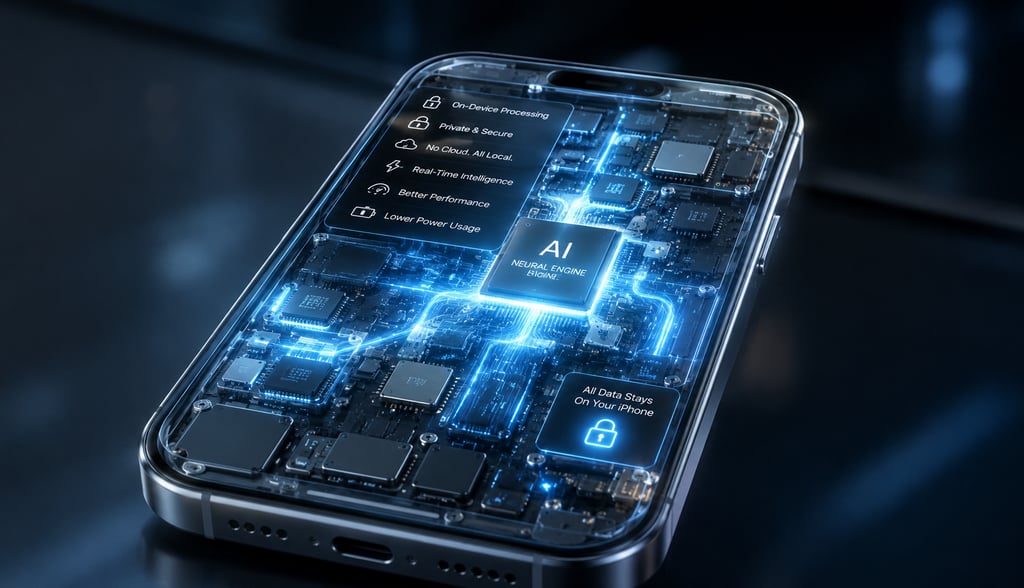
Information Packet: Better on-device processing relies on updated neural hardware to run complex language models locally on your physical device. This design philosophy protects sensitive user information and delivers exceptionally fast offline responses.
Many popular digital tools stall out completely the moment you enter an elevator or lose cellular reception. The iPhone 18 is expected to handle complex reasoning tasks without sending any data to cloud servers. This keeps the experience snappy, reliable, and completely uniform regardless of your connection quality.
This matters because it provides absolute privacy peace of mind. Your personal thoughts, written drafts, and intimate family photos are never stored on external hard drives where they could be exposed to data breaches. It also drastically reduces battery drain compared to continuous wireless data transfers.
A great example is utilizing writing tools or generating text summaries while working on a long cross-country flight without Wi-Fi. The phone performs the heavy mathematical equations locally on its internal chip. The main limitation is that local models are physically smaller than massive cloud data centers, meaning some hyper-complex queries still require web assistance.
Choosing between these options depends entirely on what you need to accomplish. ChatGPT is fantastic for drafting complex essays or coding software because it pulls from a massive cloud data library. However, it knows absolutely nothing about your personal schedule, family photos, or unread text messages.
Apple's system takes the opposite approach. It might not write a complex computer program for you, but it knows exactly who your sister is, where you parked your car, and what document your boss emailed you yesterday. It works seamlessly across all your favorite applications without making you sign into external accounts.
Which iPhone Models Are Expected to Support These Features?
Information Packet: Hardware requirements create distinct separation lines between different iPhone models regarding advanced smart feature compatibility. Supply chain tracking helps clarify which devices will support these upcoming tools.
Confirmed: Industry reports confirm that existing premium models like the iPhone 17 Pro, iPhone 17 Pro Max, and the ultra-thin iPhone Air contain the necessary hardware threshold to run advanced local models due to their internal architecture.
Reported: Multiple independent tech outlets report that the entire upcoming iPhone 18 lineup—including the entry-level base models—will receive the 12GB RAM upgrade. This brings the entry-level lineup up to par with premium tiers.
Rumored: Early supply chain whispers suggest that future generations of the budget-friendly iPhone SE might receive scaled-back versions of these tools, but full compatibility remains highly unlikely due to manufacturing cost targets.
Potential Limitations
Information Packet: While advanced mobile software offers incredible convenience, consumers should remain aware of potential real-world drawbacks. These roadblocks include regional availability regulations, hardware processing constraints, and gradual software rollouts.
The transition to smart phones is not without some growing pains. First, privacy legislation varies wildly across the globe. Features that launch on day one in the United States or Canada may face significant launch delays in regions like the European Union due to strict digital safety regulations.
Second, processing complex data locally generates heat. If you use image generation tools continuously on a hot summer day, your device will likely throttle its processing speed to cool down. This temporary slowdown can cause brief stutters inside your applications.
Finally, Apple historically staggers its software releases over several months. Just because an feature is shown on stage does not mean it arrives the day the phone goes on sale. Consumers should expect a gradual rollout of capabilities through regular software updates over the course of the product year.
Should You Wait for iPhone 18?
Information Packet: Deciding when to upgrade your personal smartphone depends on your current device model and your personal interest in artificial intelligence. Evaluating your daily usage needs helps determine the most economical path forward.
For Older iPhone Users (iPhone 15 and Older)
If you are holding onto an older phone with a lightning port, waiting for the upcoming generation makes complete sense. You will experience a massive leap forward in processing speed, battery life, camera performance, and full access to the new ecosystem.
For iPhone 16 and iPhone 17 Owners
If you recently upgraded to an iPhone 16 or standard iPhone 17, there is very little reason to rush into another expensive purchase. Your current device is still incredibly fast, handles everyday tasks with ease, and will continue to receive software support for many years.
For Android Users Considering a Switch
If you are currently utilizing a Google Pixel or Samsung Galaxy device and love their integrated smart assistants, the iPhone 18 line represents the first time Apple's ecosystem will offer comparable local processing parity. It is an ideal entry point for a platform switch.
Conclusion
Information Packet: The expected iPhone 18 capabilities represent a meaningful evolution in consumer technology. By prioritizing local processing and expanding system memory across the entire product lineup, Apple is making advanced digital tools accessible to everyday users.
The future of smartphones is no longer just about thinner hardware or extra camera lenses. It is about how effectively your device can understand your life and save you valuable time. The features expected on the iPhone 18 point toward a device that feels less like a simple tool and more like an assistant.
With a rumored baseline upgrade to 12GB of RAM, Apple is removing the artificial barrier between its regular phones and expensive Pro models. This democratic approach ensures that every buyer gets access to a smarter Siri, superior voice transcription, and helpful context tools.
As we move closer to the official launch window, keep a close eye on supply chain production reports. If you want a private, deeply integrated assistant that works seamlessly in the palm of your hand, the upcoming generation is shaping up to be an excellent investment.
HostifyAi
Helping you discover the best AI tools, grow your online business, and make smarter digital decisions.
Contact
© 2025. All rights reserved.